Steer your coding agents from your phone
remotxai puts the Claude Code, Codex and Pi (experimental) sessions running on your computer in your pocket. Watch the stream, approve a command, redirect a wrong turn, over a link the relay can't read.
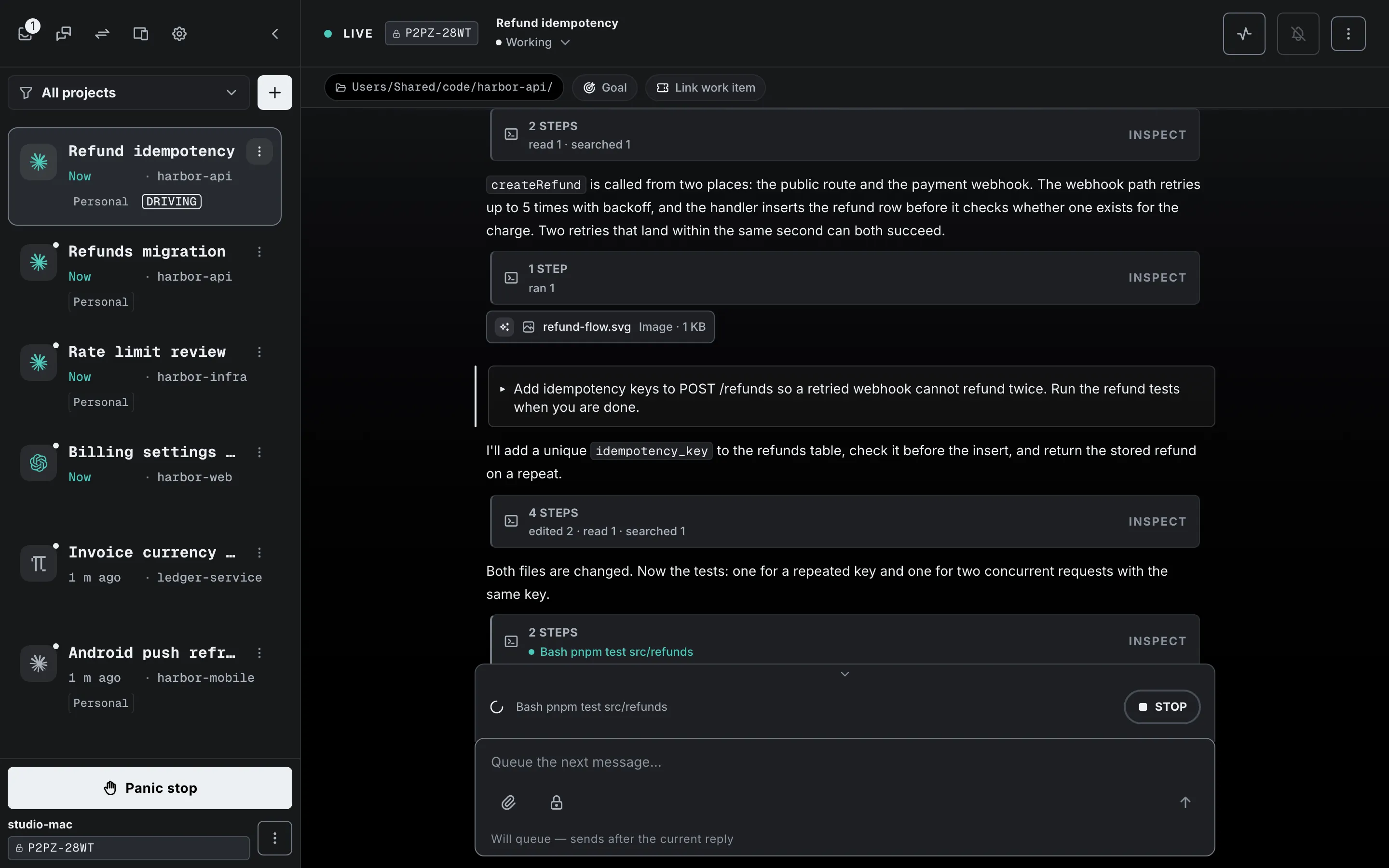
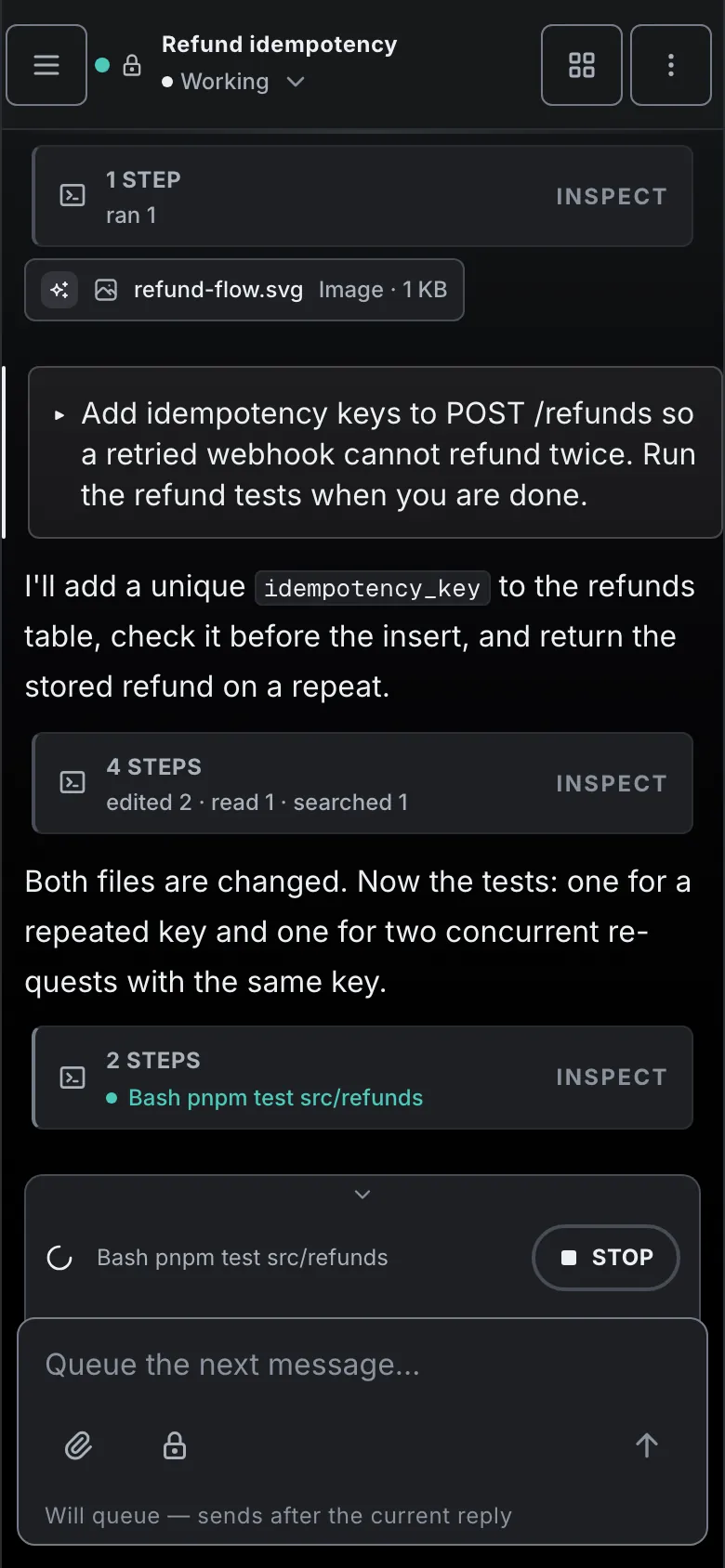
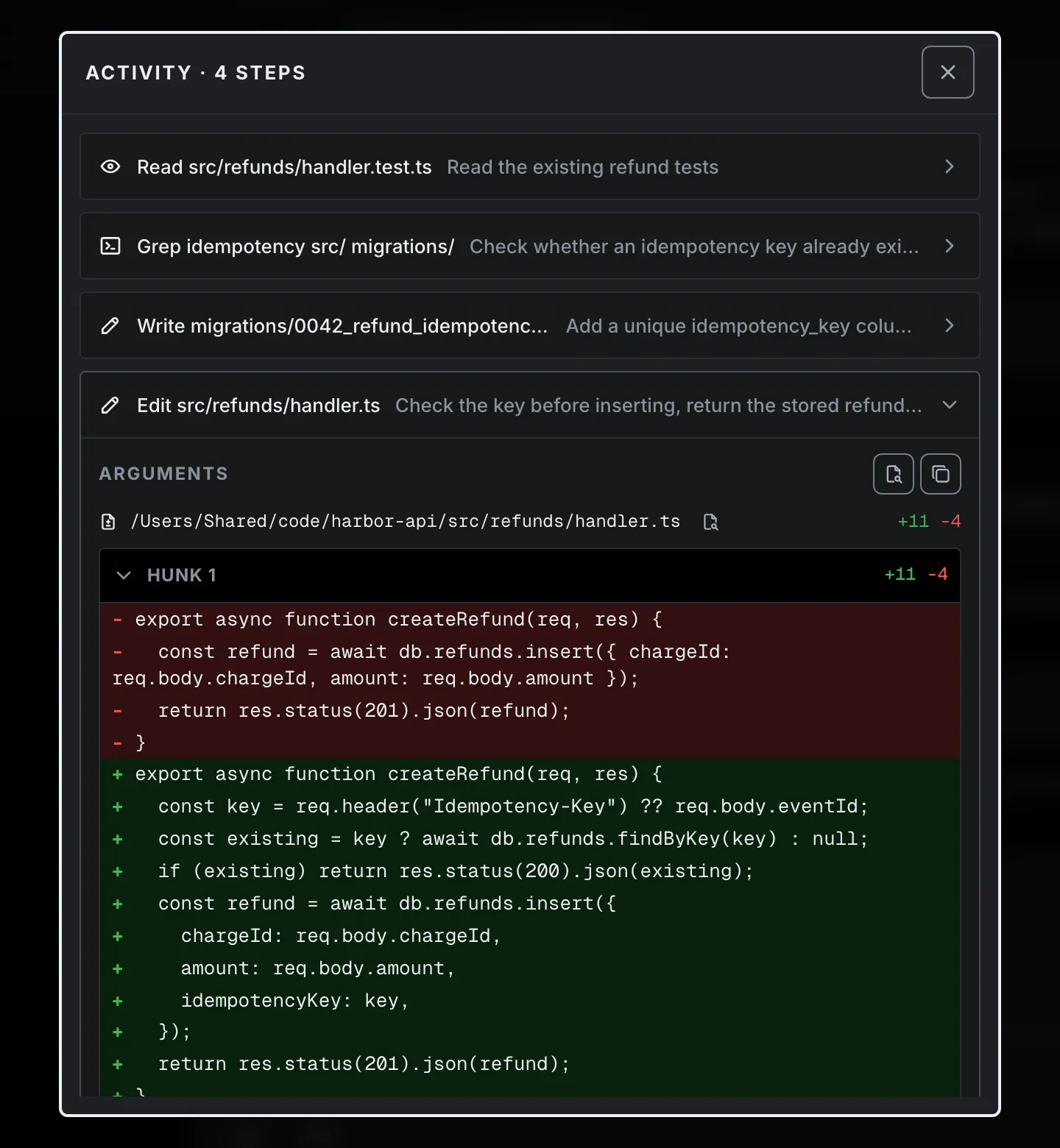
One session mid-turn. The tool steps are collapsed, and the one running is named.
Every session in one list
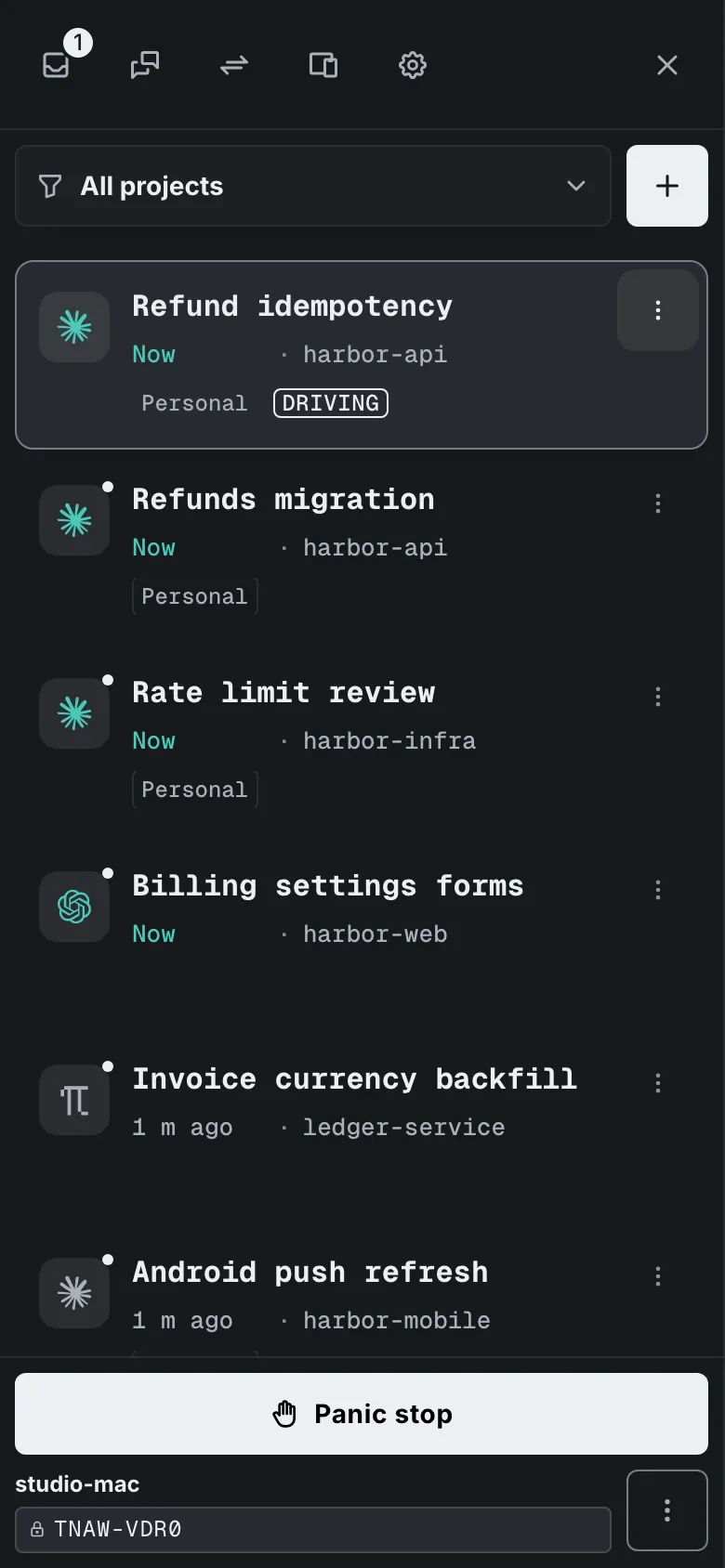
Sessions from Claude Code, Codex and Pi (experimental) sit in one sidebar, each with when it last moved and its project. Start a new one from your phone: pick a workspace and a harness, then send the first message.
Switch a session to another account
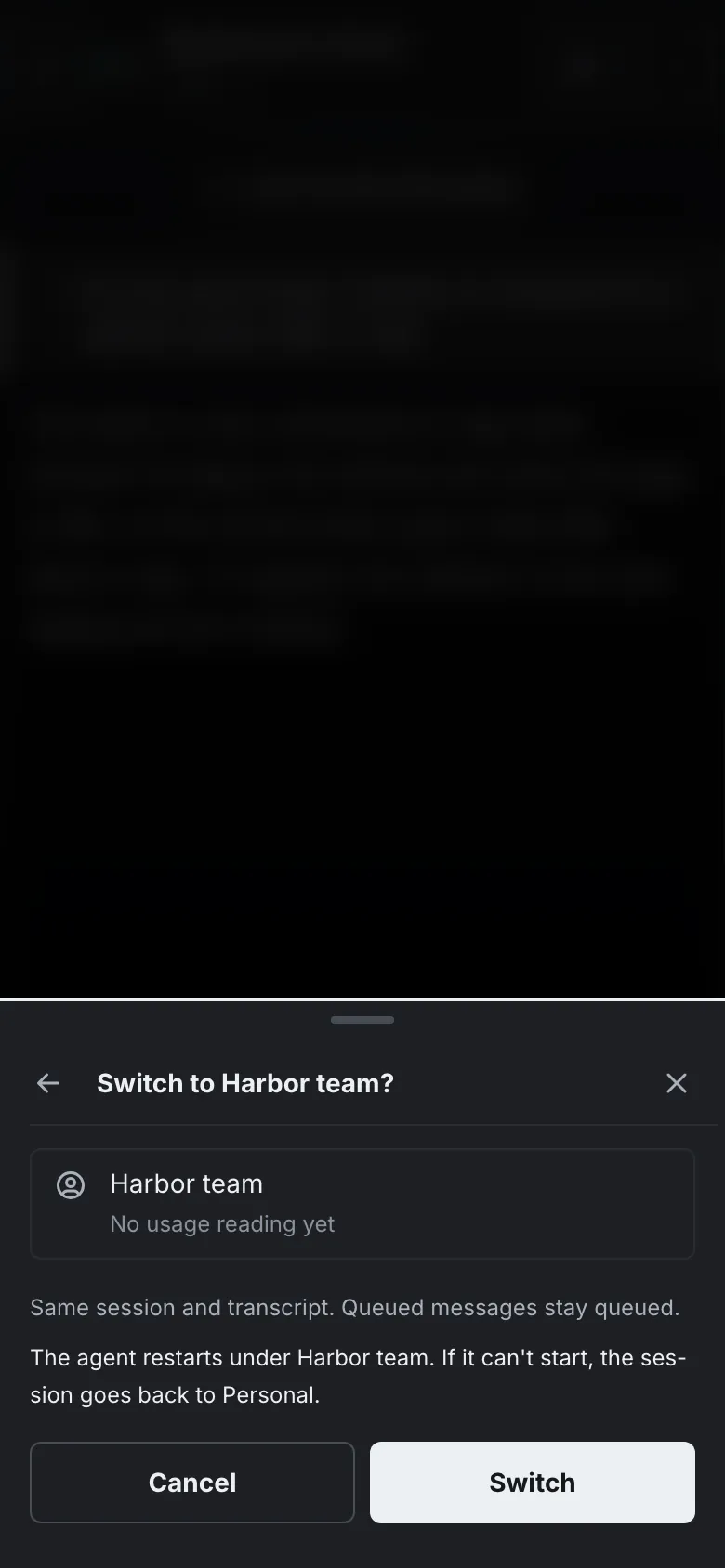
Keep a work login and a personal login of Claude Code on one computer. From the session menu, switch a running session to the other profile. The transcript comes with it, queued messages stay queued, and if the agent doesn't start under the new account the session goes back.
Watch the work, then steer it
Replies, edits and tool calls stream in as the agent works. See a wrong turn, send a corrective prompt, and it lands at the next safe turn boundary exactly as if you had typed it.
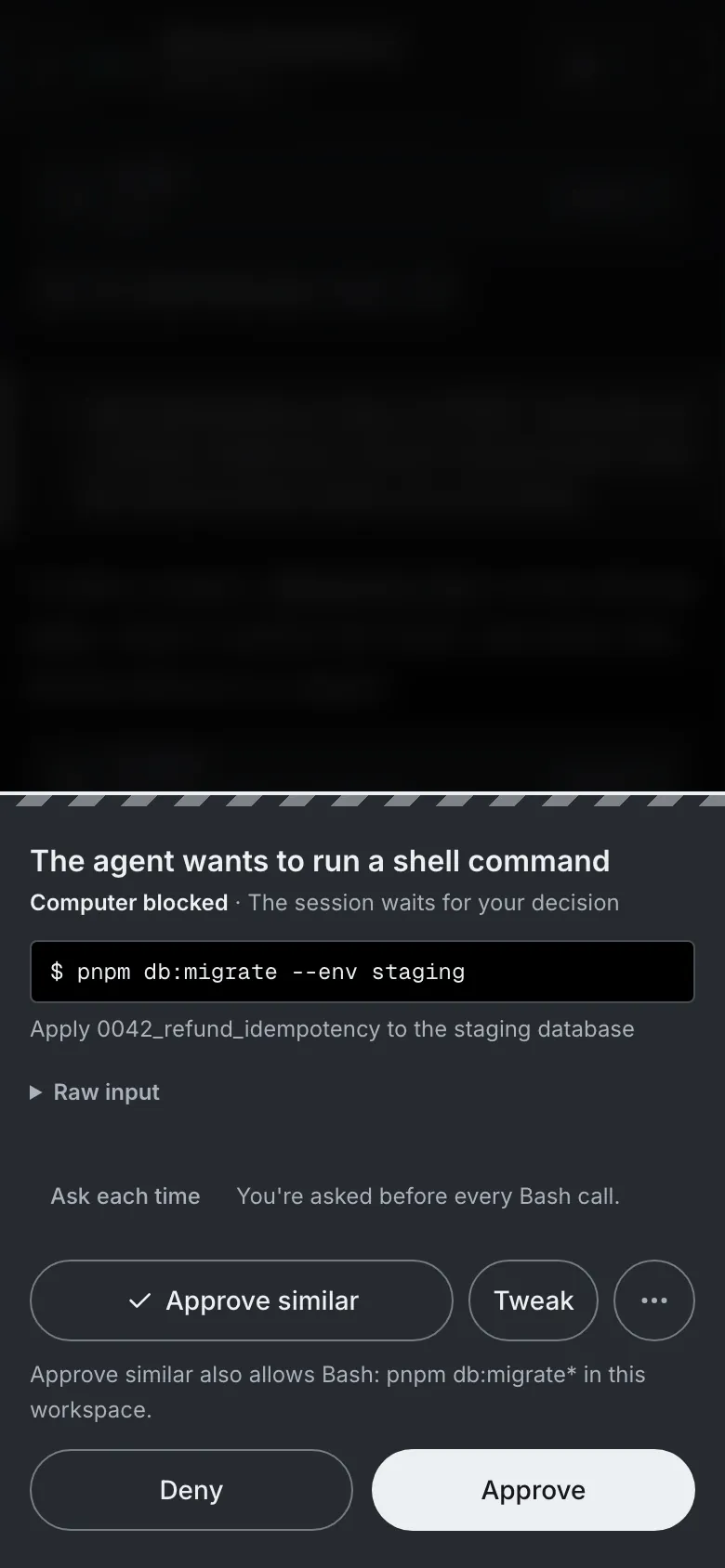
Approve from anywhere
When an agent stops to ask, approve it, deny it, or tweak the command and then approve. A push tells you a session needs you, and carries the session name and the reason, nothing the agent wrote.
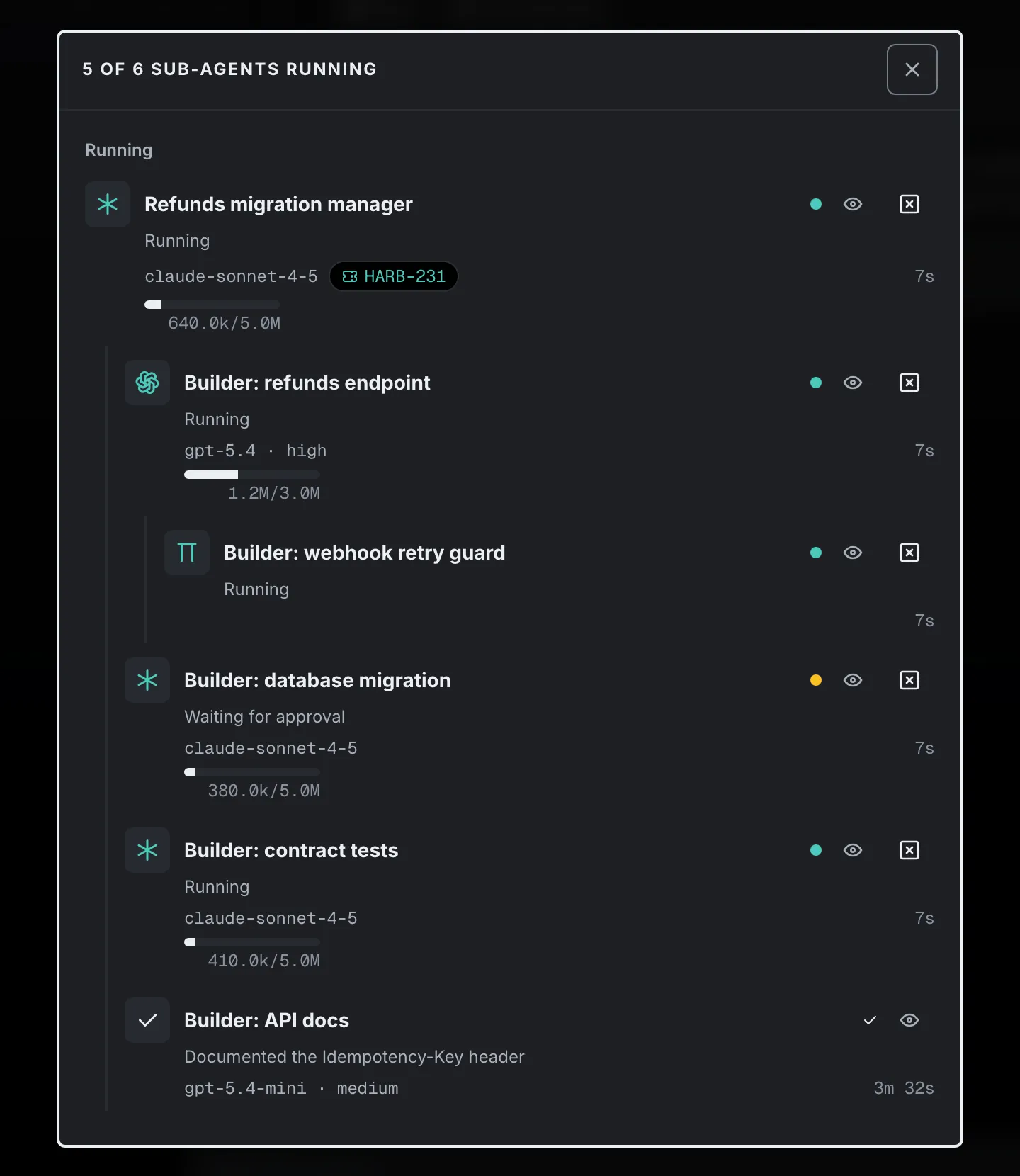
Sub-agents stay under their parent
A session can start other agents, on the same harness or another, and keep working. They show as a tree under their parent, and you can open one, read its transcript, prompt it or stop it with its children.
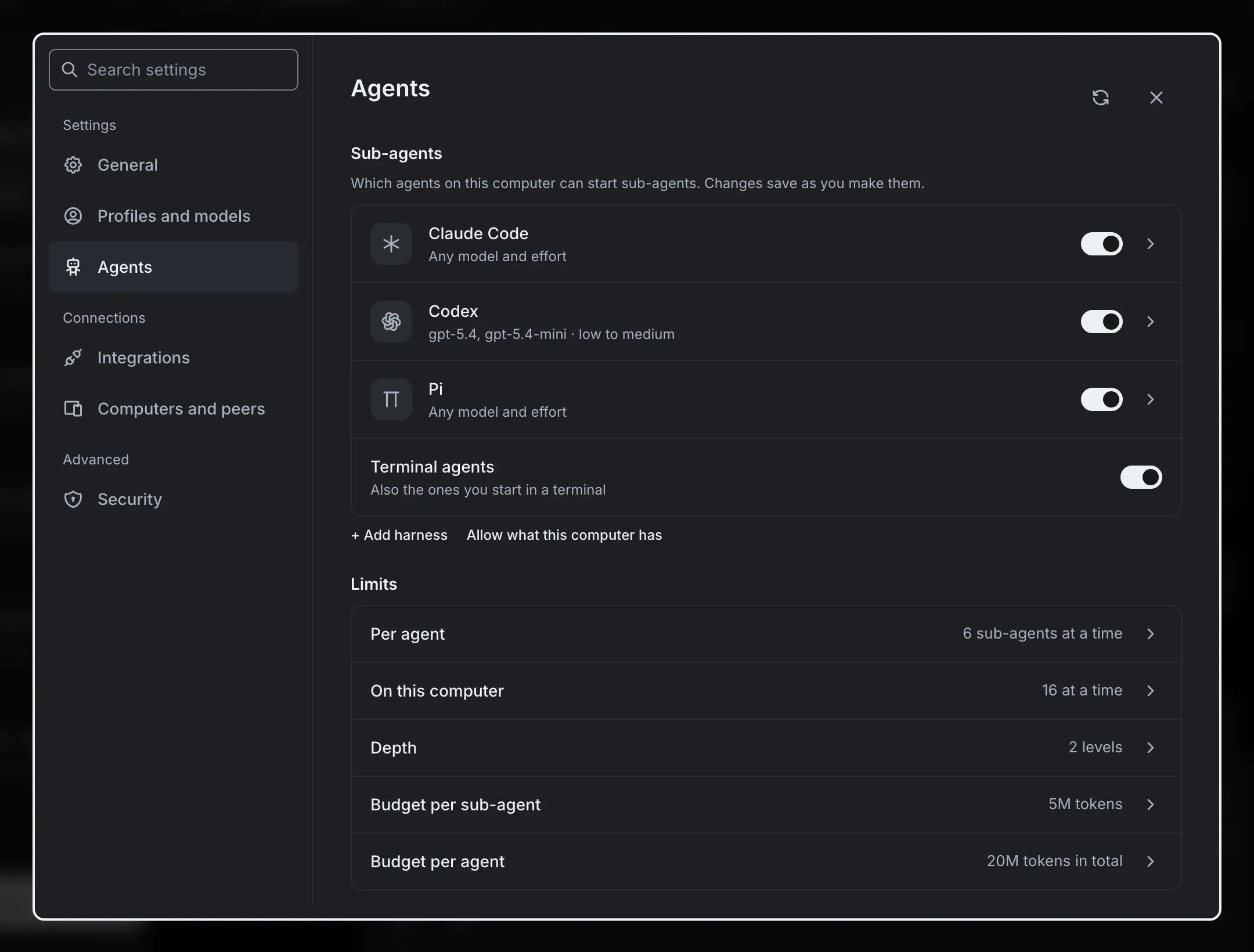
You decide which agents can start others
Allow harnesses, models and efforts one by one, and set the limits. The allowlist starts empty, so nothing starts until you say so.
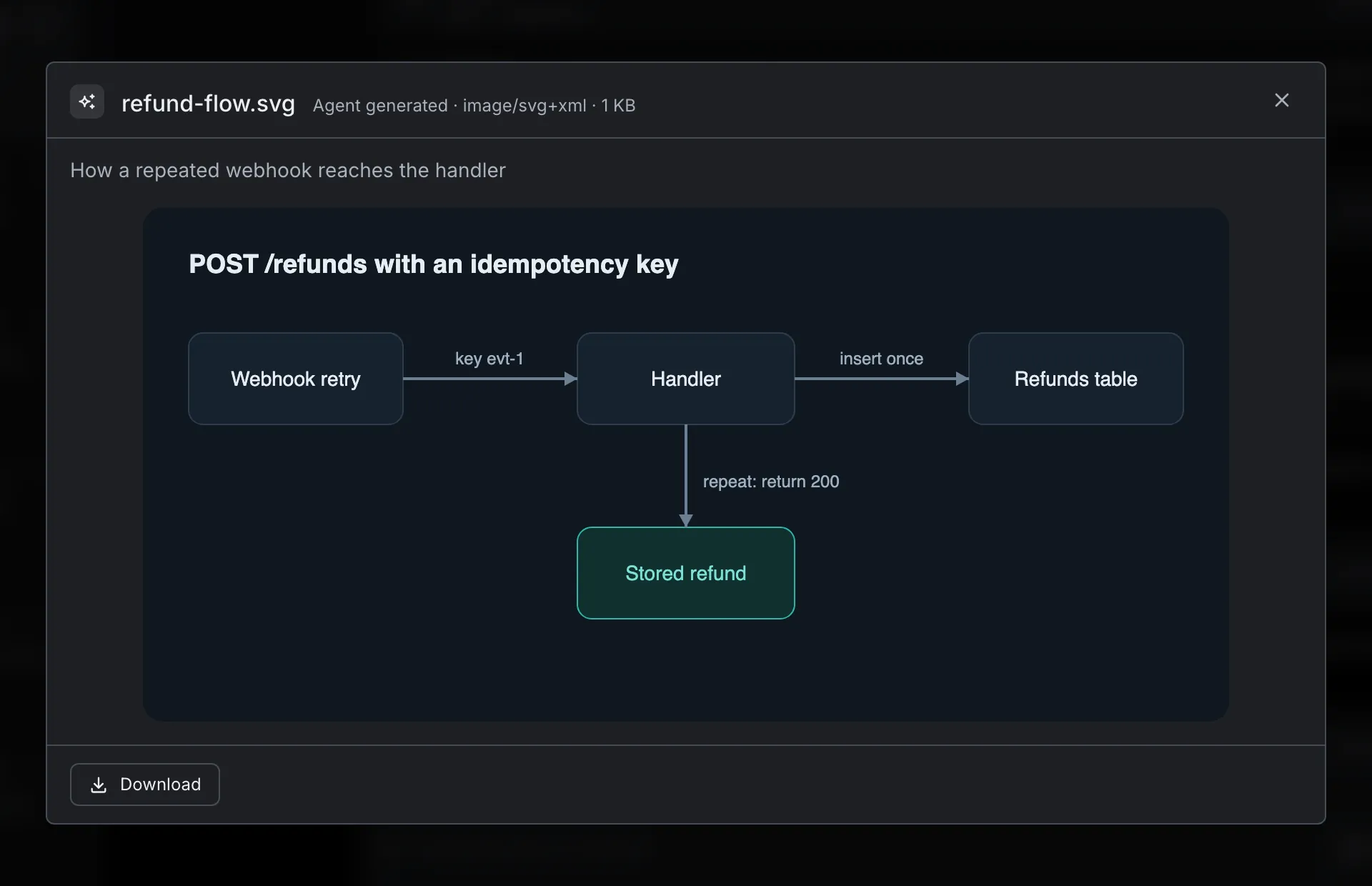
Files the agent shares land on your phone
An agent can share a file from its workspace and it appears as a card in the turn. Images, SVG, HTML, PDF, text, Markdown, JSON and YAML preview in the app.
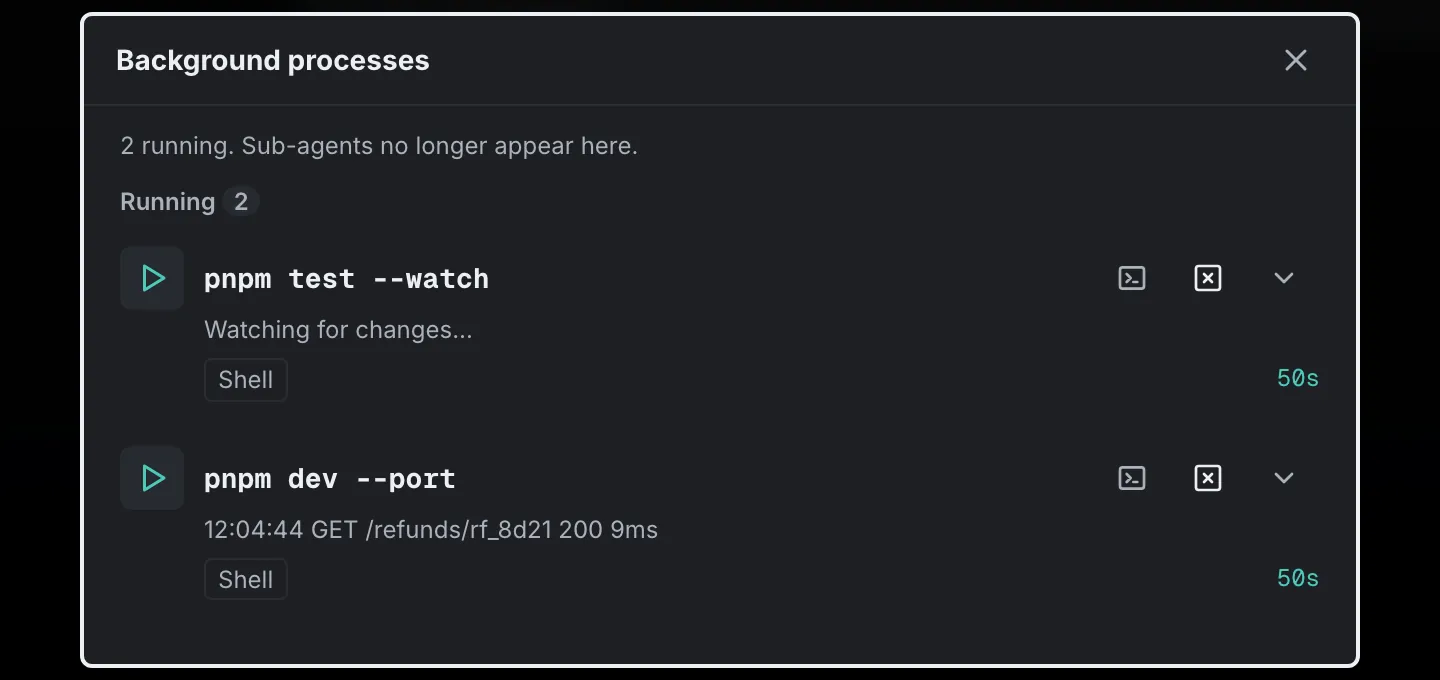
Long-running processes, live
A dev server or a test watcher the agent leaves running shows up in a drawer. Tap one to tail its output as it arrives, or stop it from the phone.
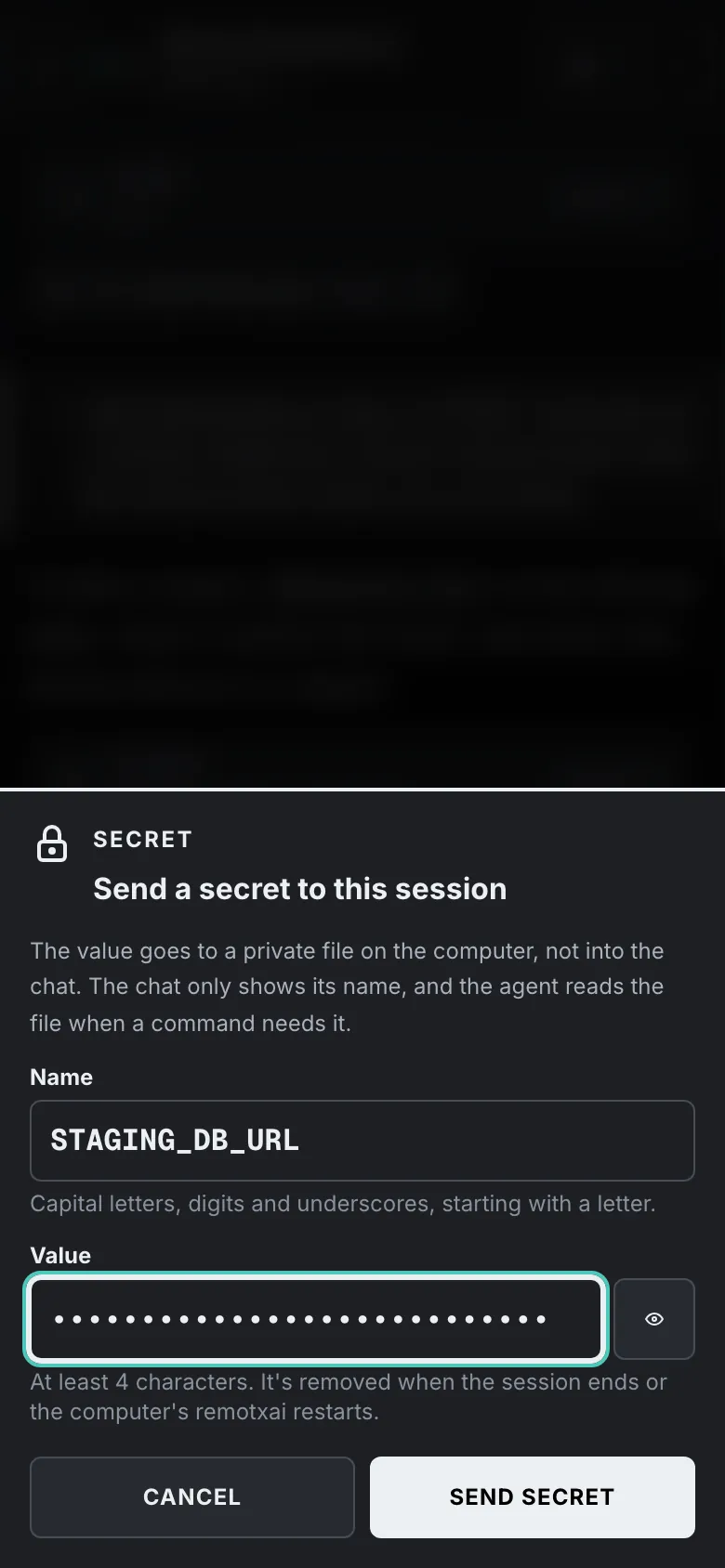
Hand over a secret without putting it in the chat
Type the value into a masked field on your phone. It goes to a private file on your computer, and the chat shows only its name.
From install to first session
Install on your computer
Run it on the computer where your agents run. It supports macOS and Linux. Windows isn't supported.
curl -fsSL https://app.remotxai.com/install.sh | shComing soonJoin the waitlist
Pair your phone
Run
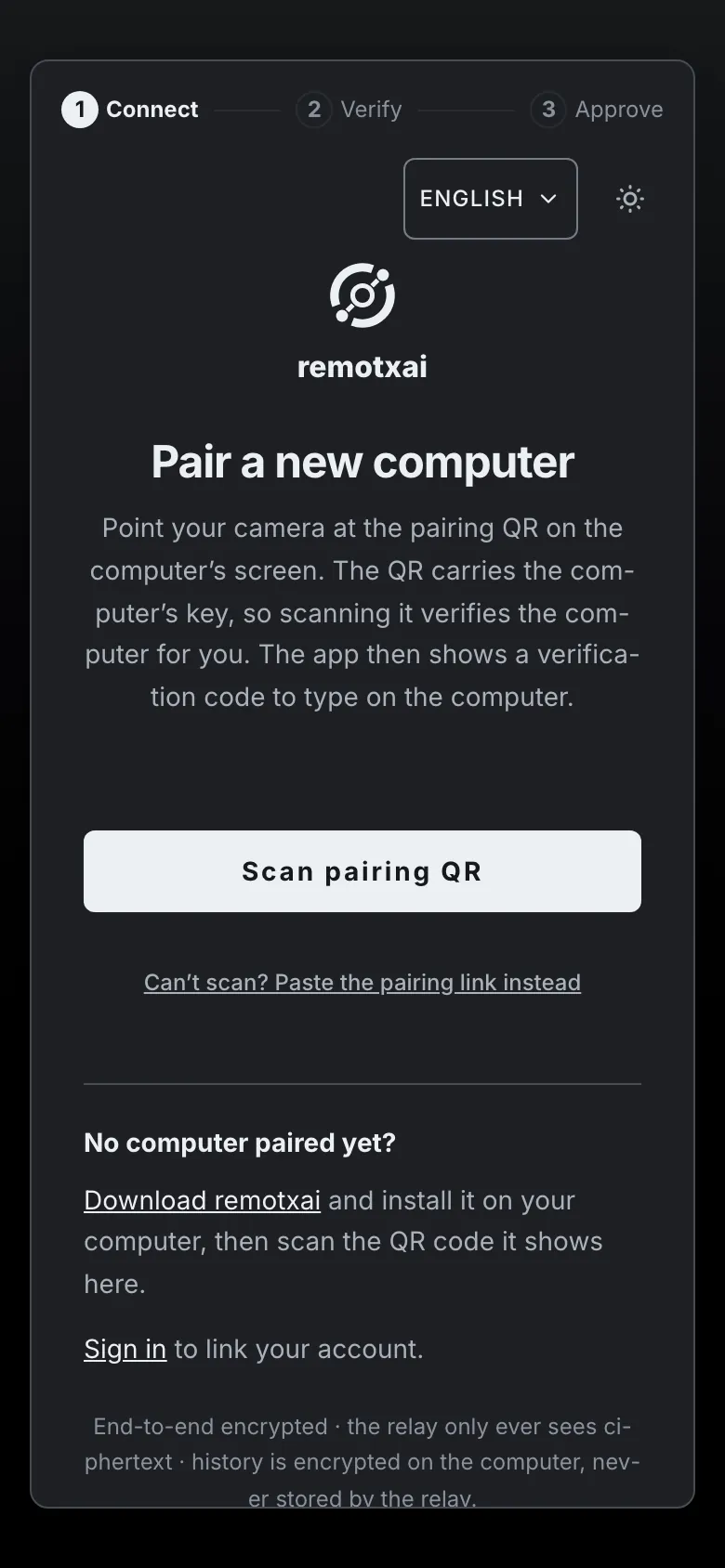
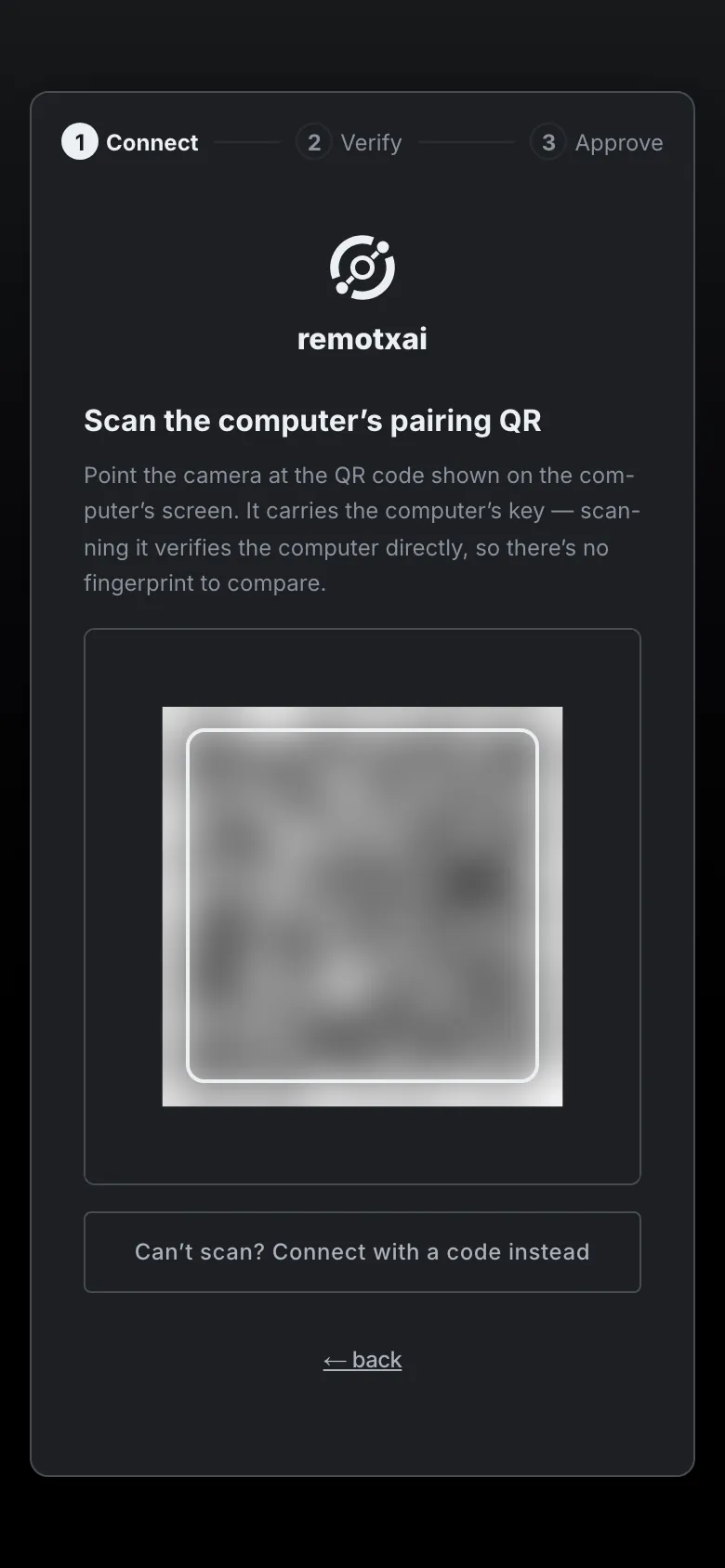
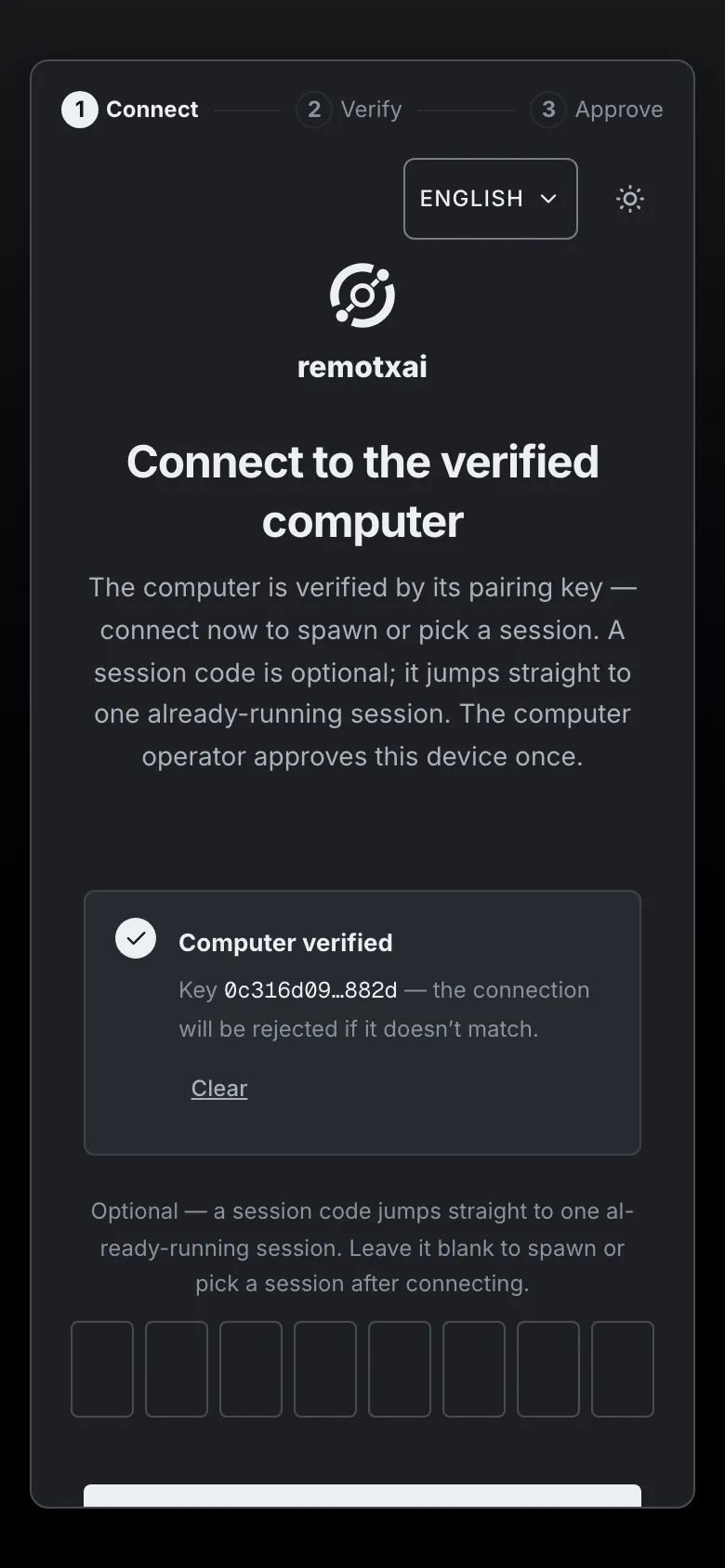
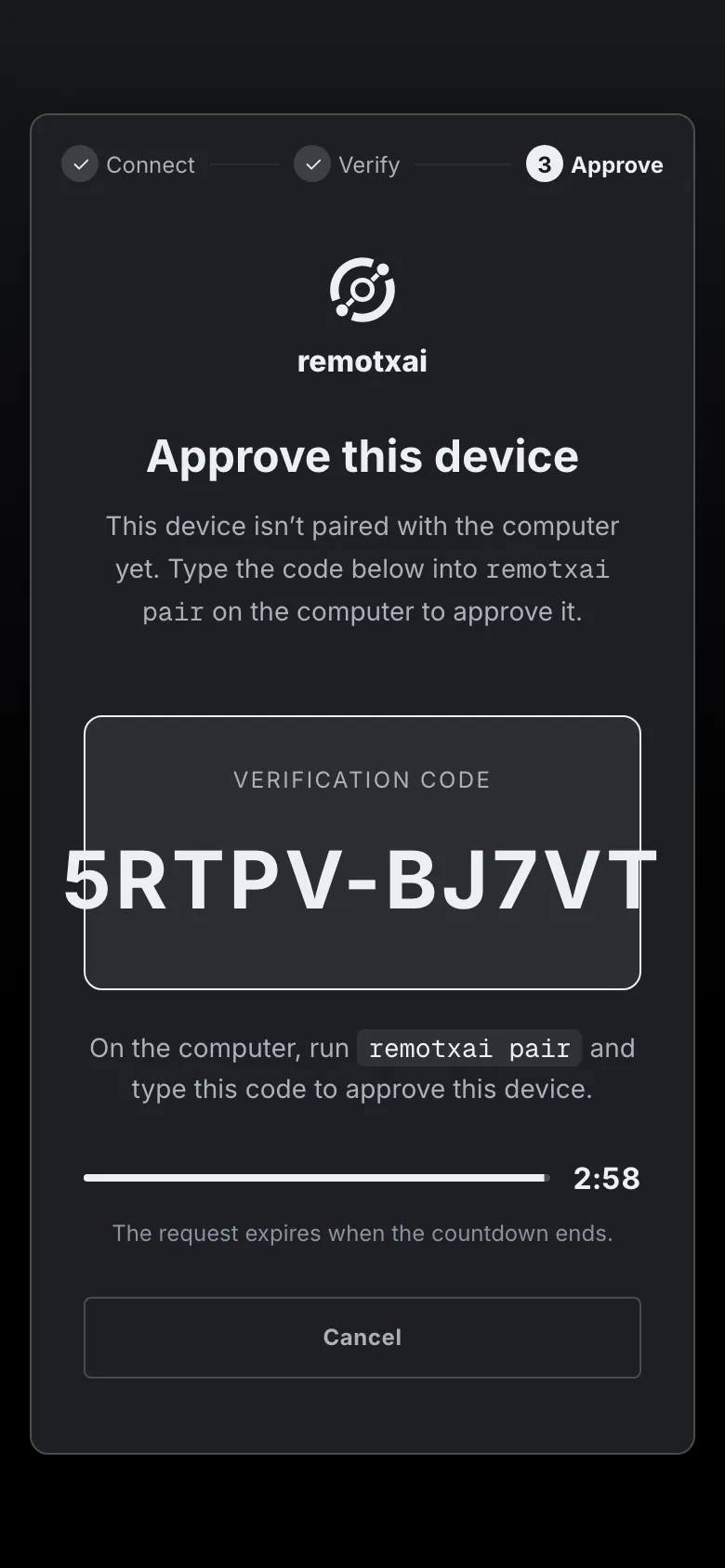
remotxai pairto open the pairing window, andremotxai pair setupto print a QR and a pairing link. Scan the QR from the app at app.remotxai.com, or paste the link. Your phone shows a short code. Type it into the terminal and choose what the device may do.The hosted relay is invite-only for now. Request a token at app.remotxai.com/invite. On the same Wi-Fi you can pair without the relay.
The QR carries the computer's key, so scanning it verifies the computer. You approve the device from the terminal. Steer your agents
Pick a workspace and a harness, send the first message, and follow it from your phone. Approvals reach you wherever you are.
Works with the agents you already run
| Harness | Command it needs on the computer | Status |
|---|---|---|
| Claude Code | claude | Supported |
| Codex | codex | Supported |
| Pi | pi | Experimental |
Each one must be installed and signed in on the computer, and remotxai drives it from there. Pi (experimental) has only passed its smoke test against a fake provider. Your phone needs Safari on iOS 16 or later, or a recent Chrome on Android.
The relay carries your sessions. It can't read them.
remotxai encrypts the link between your phone and your computer end to end. The server in the middle forwards ciphertext. Here is what that covers, and what it doesn't.
| Topic | What remotxai does |
|---|---|
| Encryption | Noise_XX between your phone and your computer. The relay can't read prompts, output, approvals or the queue. |
| What the relay sees | Connection times, message sizes and routing identifiers. It stores no session content. It logs the IP address of a denied route and a host-link entry with a token ledger ID and a code count. |
| Open ports | None. Your computer dials out to the relay. |
| Pairing | The QR carries the computer's public key out of band, and you confirm a short code at the computer. The pairing window closes after 10 minutes at most. |
| Device access | Each device gets its own grant: one session, one workspace or all of them, and a role of viewer, approver, driver or admin. Revoke a lost phone from the computer. |
| Approvals | An approval is bound to its session and its scope, so it can't be replayed against another. A deny rule in the host policy file holds even in yolo mode for Claude Code sessions the daemon owns. |
| Panic stop | One tap interrupts every turn, cancels every sub-agent and suspends standing approvals until you resume. It needs a device with the all scope. |
| Secrets | The value goes into a masked field, then a file on your computer readable only by you. Later session output has the exact value replaced with [secret:NAME]. The file is removed when the session ends. |
| Push | The push names the session and the reason, and is encrypted to your device's own keys. The push service sees timing and size. |
What remotxai doesn't protect against
- A compromised computer. The daemon runs as you, and local access wins.
- A malicious phone that is already paired. It is trusted within its grant until you revoke it.
- Flaws in Claude Code, Codex or Pi (experimental). remotxai supervises them and doesn't sandbox them. Shell rules in the policy file are defence in depth, and an interpreter or a script file can get past them.
- What the relay can observe: connection timing, message sizes and which computer is online.
Files and browser storage aren't encrypted by remotxai at rest. Secrets, drafts and the phone's operator key are readable by whoever owns that account or browser profile. remotxai data export and remotxai data purge give you the export and the removal.
Priced per seat, plus relay usage
remotxai is priced per seat plus relay usage. Prices aren't set yet, so there is no number on this page.
Works with trackxai
remotxai pairs with trackxai, the tracker for agent work. trackxai holds the tasks, and remotxai lets you steer the sessions that work on them.
Questions
Which agents does it work with?
Claude Code, Codex and Pi (experimental). Each one has to be installed and signed in on your computer first. Pi (experimental) has only passed its smoke test against a fake provider.
Can the relay read my sessions?
No. The link is Noise_XX end to end, and the relay forwards ciphertext. It does see connection timing, message sizes and routing identifiers.
Do I need to open a port?
No. Your computer dials out to the relay.
What happens if I lose my phone?
Revoke its pairing from the computer. A device only gets what its grant allows until you do.
Does remotxai sandbox my agents?
No. It supervises them. The host policy file can deny or ask for specific commands, paths and URLs, and you approve what the agent asks for from the phone.
What does a push notification contain?
The session name and the reason, encrypted to your device. Nothing the agent wrote.
Can I use it without the hosted relay?
Yes, on the same Wi-Fi. The computer serves the app itself and the phone pairs on your local network.
Can I try it today?
It's early access. The hosted relay is invite-only, and the source is private. Request a token at app.remotxai.com/invite.
What does Panic stop do?
It interrupts every in-flight turn, cancels every live sub-agent and suspends standing approvals until you resume. A device needs the all scope to use it.
Step away from the desk
Install remotxai on your computer, pair your phone, and keep your agents in sight.